Pixel City
Oh look, another blog about design and technology.
The Photoshop Alphabet
A - Path Selection Tool/Direct Selection Tool. (aka the Arrow tool)
B - Brush
C - Crop
D - Default Foreground and Background Colors (black foreground/white background)
E - Eraser
F - Full screen mode
G - Gradient/Paint Bucket
H - Hand (or, press and hold "space")
I - Eyedropper Tool (I = "eye")
J - Healing Brush Tool (and others) (no mnemonic)
K - Knife tool (don't let the silent K fool you!)
L - Lasso Tools
M - Marquee Tools
N - Notes Tool
O - Dodge Tool (and Burn and Sponge)
P - Pen Tool
Q - Quick Mask mode
R - Blur Tool (and Sharpen and Smudge)
S - Clone Stamp Tool (and Pattern Stamp Tool)
T - Type Tool
U - Line Tool (and other shapes) (no mnemonic)
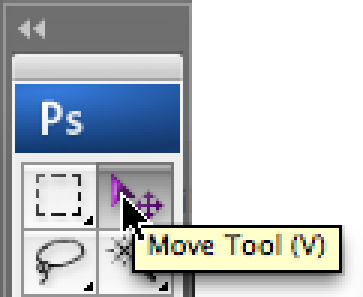
V - Move Tool
W - Magic Wand
X - Exchange foreground and background colors
Y - History Brush Tools (no mnemonic)
Z - Zoom Tool (or, press and hold command/control-space to zoom in and option/alt-command/control-space to zoom out)
More awesome housing
This place is amazing. The only thing that could make it better would be surrounding it with a lazy river. :-)

Great article about designing with accessibility in mind
I can't say enough about this piece. Lots of good info here from a member of the Salesforce.com design team.

Apple Watch App Design
I'm sure there will be many articles about this. Here's one. It's a great overview of how he made the app, and how he changed it immediately after actually spending some time using it.

Before (left) and after (right)
Cinematography Analysis
"Every Frame a Painting". Good stuff.
Every Automotive Emblem, Explained
Title says it all. (Except they don't cover every emblem. Sadly, they mention Oldsmobile's but they don't show it.) Not super in-depth, but they cover a lot.

Evolution of the Star Wars logo
I love this stuff. I drew countless 'STAR WARS' logos in my notebooks as a kid. These are much better. :-)
Awesome housing
I just found out about this: "Habitat 67", in Montreal, Canada. "It was originally conceived as [a] master's thesis in architecture at McGill University and then built as a pavilion for Expo 67, the World's Fair held from April to October 1967."
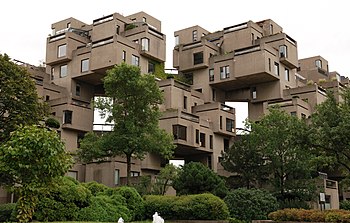
You always get the coolest things from World's Fairs.